




Introduction: One Click. Your Entire Savings Gone.
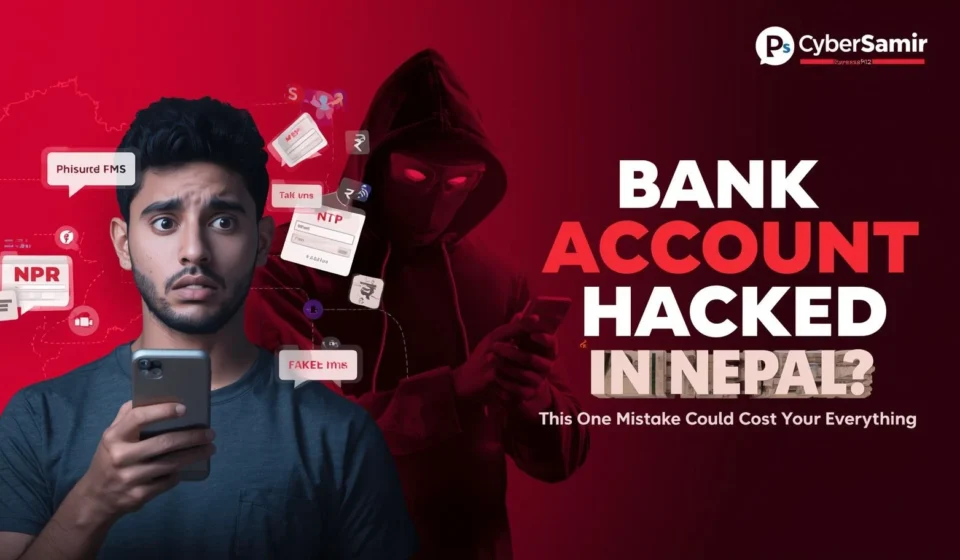
Imagine waking up one morning, checking your phone, and seeing an SMS that says your bank account balance is now zero. No warning. No chance to stop it. It happened while you were sleeping.
This is not a story from a Hollywood movie. This is what happened to a Kathmandu-based teacher in 2023, after she clicked on a link sent through a Facebook message that looked exactly like it was from her bank.
In Nepal, online banking fraud is not just growing it is accelerating. According to the Nepal Police Cyber Bureau, cybercrime complaints have increased significantly year over year, with financial fraud being among the top reported categories. And the disturbing truth is: the attackers are not always sophisticated. Most of the time, they are counting on you to make one specific, preventable mistake.
That mistake? Falling for a phishing attack.
This guide breaks down exactly what phishing is, how attackers are targeting Nepali banking users specifically, what signs to watch for, and the concrete steps you must take to protect your money.
What Is Phishing? (And Why Nepal Is a Prime Target Right Now)
Phishing is a form of social engineering attack where a cybercriminal disguises themselves as a trusted entity your bank, eSewa, IME Pay, or even the Nepal government to trick you into handing over sensitive information like your username, password, OTP, or card number.
The word “phishing” comes from the analogy of fishing: the attacker casts a convincing bait, and waits for you to bite.
Why Nepal?
Nepal is experiencing rapid digital adoption. Mobile banking apps, eSewa, Khalti, and ConnectIPS have become everyday tools for millions of people. But with increased digital activity comes increased exposure and many Nepali users have had little to no formal cybersecurity education.
Attackers know this. They specifically craft attacks in Nepali language, mimic the logos of NIC Asia Bank, Nabil Bank, Everest Bank, and popular payment apps, and distribute these fake messages through WhatsApp, Viber, and Facebook the most-used platforms in Nepal.
The Most Common Mistake: Clicking Without Verifying
Here is the single mistake that puts Nepali users at risk every day:
Clicking a link in a message without verifying where it actually leads.
It sounds simple. It is simple. But it works on thousands of people because attackers invest serious effort in making that link look real.
How a Typical Attack Looks in Nepal
You receive a message. It says something like:
“Priya ji, tapaaiko NIC Asia account ma suspicious activity detected bhayo. Account band hunu bhanda aghi verify garna yaha click garnus: [link]”
(Translation: “Your NIC Asia account has suspicious activity detected. Click here to verify before your account gets blocked.”)
The message creates urgency and fear. The link looks official. The fake webpage that loads is a near-perfect copy of your bank’s login page. You enter your credentials. The attacker receives them instantly. Within minutes, your account is drained.
This is called a spear phishing attack when it is targeted directly at you using your name or personal details.
The Attack Anatomy: Step by Step
Understanding how an attack unfolds helps you spot it before it succeeds.

| Stage | What the Attacker Does | What You See |
|---|---|---|
| 1. Reconnaissance | Collects your phone number, name, possibly your bank from social media | Nothing yet |
| 2. Crafting the Lure | Builds a fake bank login page hosted on a look-alike domain | A convincing message arrives |
| 3. Delivery | Sends it via SMS, WhatsApp, Viber, or Facebook Messenger | You receive an “urgent” alert |
| 4. Credential Harvest | You enter your login on the fake page | Page may redirect to real bank to avoid suspicion |
| 5. Account Takeover | Attacker uses your stolen credentials + OTP interception | Money is transferred out |
The OTP Problem
Many users believe OTP (One-Time Password) makes them fully safe. It does not. Attackers have adapted. A common technique is a real-time phishing proxy a tool that sits between you and your real bank, forwarding your credentials and OTP to the attacker instantly, so they can log in before the OTP expires.
If you enter your OTP on a fake page, the attacker has roughly 30–60 seconds to use it. That is enough.
Red Flags: How to Spot a Phishing Attack
Train your eye to catch these warning signs before you click anything.
Suspicious URL patterns to watch for:
nicasiabank-nepal.com(extra word added not the real domain)nabilbank.account-verify.com(real brand name, fake domain)https://bit.ly/bankverify(shortened URL hiding the real destination)http://instead ofhttps://(no SSL)
Message red flags:
- Urgent or threatening language (“Your account will be blocked in 24 hours”)
- Generic greetings instead of your name, or suspicious over-personalization
- Grammar errors mixed with professional-looking formatting
- Request for OTP, PIN, or password via link or call
- Links sent through WhatsApp, Viber, or Facebook from “bank numbers”
Page-level red flags:
- The page looks right, but the URL is wrong
- No padlock icon or an invalid SSL certificate
- The login form asks for information a bank would never ask online (like full card number + CVV together)
Real-World Context: Nepal’s Banking Fraud Landscape
Nepal Rastra Bank (NRB) and Nepal Police Cyber Bureau have repeatedly issued public advisories warning citizens about digital fraud. Incidents involving eSewa and Khalti account takeovers have been reported widely on social media. In many cases, victims received phone calls from attackers posing as “customer support” who guided them through the process of revealing their OTP.
This is called vishing (voice phishing) and it is increasingly common in Nepal’s Terai and urban centers where digital payment adoption is highest.
Key facts about cybercrime in Nepal:
- The Cyber Bureau of Nepal Police handles thousands of cybercrime complaints annually
- Financial fraud consistently ranks among the top complaint categories
- Many victims are first-time or low-literacy digital banking users
- Attackers often use local language, local context, and real brand names to build trust
Pro Tips: How to Protect Your Bank Account in Nepal
These are not generic tips. These are specific practices that make a real difference.
Pro Tip 1: Always navigate directly to your bank’s website Never click a link sent to you via SMS or messaging app to access your bank. Instead, open your browser and type the URL yourself, or use the official app from the Play Store or App Store.
Pro Tip 2: Enable login alerts on all accounts Most Nepali banks now offer SMS and email alerts for every login attempt. Enable these immediately. If you see an alert you did not trigger, call your bank’s official hotline at once.
Pro Tip 3: Use a separate phone number for banking Keep one SIM card dedicated solely to banking OTPs and financial accounts. Do not share this number publicly or use it for social media.
Pro Tip 4: Verify the domain before you type anything Before entering any login details, look at the full URL in your browser. It should match the official domain exactly no added words, no hyphens in unexpected places.
Pro Tip 5: Never share OTPs for any reason No bank, no eSewa support team, no government official will ever ask for your OTP over a call or message. If someone does, it is an attack. End the call.
Pro Tip 6: Keep your banking apps updated Outdated apps can carry security vulnerabilities. Enable auto-updates or check the Play Store / App Store weekly for banking app updates.
What to Do If You Think You Have Been Compromised
Acting fast is critical. Here is the immediate response checklist:
- Call your bank’s fraud hotline immediately: most Nepali banks have 24-hour helplines. Ask them to freeze your account.
- Change your password from a secure, trusted device: not the device you believe was compromised.Revoke all active sessions: most banking apps have a “logout all devices” option.
- File a complaint with Nepal Police Cyber Bureau: heir official complaint portal is available online, and they take financial cybercrime seriously.
- Alert your contacts: if the attacker had access to your messaging apps, they may target people in your contact list next.
- Run a malware scan: use a reputable antivirus/anti-malware tool to check if your device was also infected.
A Note for Businesses and Organizations in Nepal
If you run a business that handles digital payments a shop accepting eSewa, a travel agency, or an e-commerce store you are a higher-value target. Attackers do not only go after individuals. Business accounts with larger balances and weaker security hygiene are increasingly targeted.
Organizational best practices:
- Enforce multi-factor authentication (MFA) on all financial accounts
- Train your staff to recognize phishing attempts
- Never conduct financial transactions over shared or public Wi-Fi
- Designate a single, secure device for all financial operations
The Bigger Picture: Cybersecurity Awareness in Nepal
Nepal’s digital infrastructure is growing at a pace that has outrun public cybersecurity awareness. The country now has millions of active mobile banking users, yet very few have received any structured guidance on how to protect themselves online.
This gap is what attackers exploit. The solution is not only technical it is educational. Sharing this knowledge with family members, colleagues, and community members is itself an act of digital defense.
Every person who learns to spot a phishing attempt is one fewer victim.
- Cybersecurity Tools for Beginners
- What Is Social Engineering? How Hackers Manipulate People
- Your Data on Nagarik App Might Not Be Fully Safe Here’s Why?
- Nepal Police Cyber Bureau Official Site: https://cyberbureaunepal.gov.np For readers to report cybercrime or read official advisories.
FAQ Section