




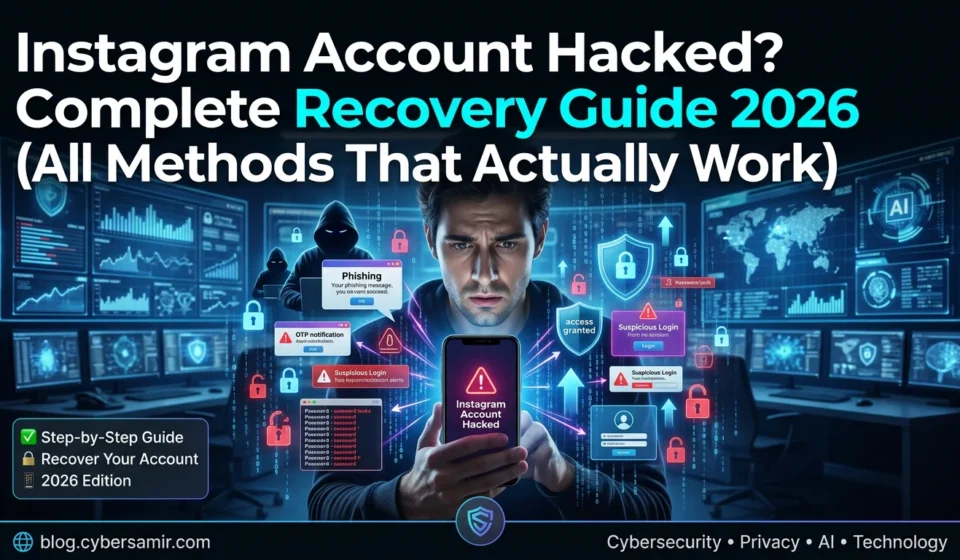

Instagram Account Hacked? Complete Recovery Guide 2026 (All Methods That Actually Work)
Your Instagram account just got hacked. The email changed. The password doesn’t work. Maybe the hacker is posting stories or DMing your friends.
Thank you for reading this post, don't forget to subscribe!Don’t panic. I’ve helped dozens of people recover their accounts. Here’s every method that actually works in 2026 step by step.
DISCLAIMER: This guide is for recovering YOUR OWN account. Attempting to access someone else’s account is illegal. This content is for educational and account recovery purposes only.
First: Check How Bad It Is
Before recovery, figure out what the hacker changed:

| What They Changed | Signs | Recovery Difficulty |
|---|---|---|
| Only password | You got logged out | 🟢 Easy |
| Password + email | Password reset emails don’t arrive | 🟡 Medium |
| Password + email + phone | No recovery options work | 🔴 Hard |
| Username changed | Friends can’t find your profile | 🔴 Hard |
Method 1: “Forgot Password” Email Recovery ( Easiest)
If the hacker only changed your password, this works in 2 minutes.
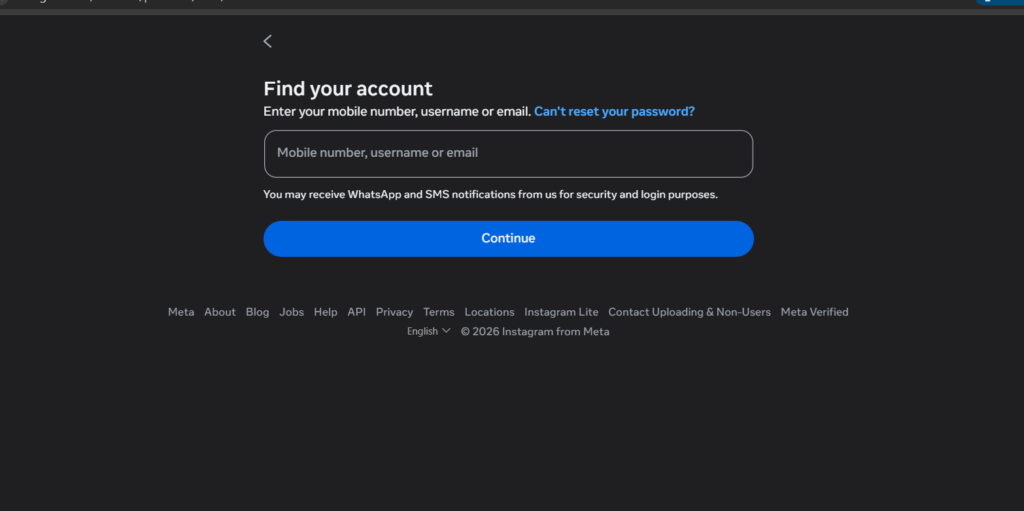
Steps:
- Open Instagram login screen
- Tap “Forgot password?” on Android/iPhone or “Forgot password?” link on web
- Enter your username OR original email OR phone number
- Select “Send an email” Instagram sends a login link to your ORIGINAL email
- Check your email inbox (and spam folder)
- Click the login link this logs you in without needing the hacker’s new password
- IMMEDIATELY change your password to something strong
Why this works: Instagram sends recovery links to the email that was FIRST associated with the account even if the hacker changed the current email.
Pro tip: The email subject is usually “Reset your Instagram password” or “Login link for Instagram”
Method 2: “Need more help?” Phone Number Recovery ( Medium Difficulty)
If Method 1 fails because email was also changed:
Steps:
- On the login screen, tap “Forgot password?”
- Enter your username or phone number
- If email option appears but you don’t have access, tap “Need more help?”
- Select “Try another way”
- Choose phone number recovery (if your original number is still linked)
- Enter the 6-digit code sent via SMS
- Reset your password immediately
Method 3: Selfie Video Verification Most Powerful Method ( For Hard Cases)
This is Instagram’s hidden weapon. It works even when email, phone, AND password are all changed. I’ve personally used this successfully.
When to use this:
- Hacker changed email, phone, and password
- You can’t access any recovery method
- You have photos of yourself on the account
Steps:
- Go to Instagram login screen
- Tap “Forgot password?”
- Enter your username
- Tap “Need more help?” → “Try another way” repeatedly until you see “Get help logging in”
- Select “My account was hacked”
- Choose “Video selfie verification”
- Instagram asks you to record a short video turning your head in different directions
- Record clearly in good lighting — show your face from multiple angles
- Submit and wait 24-48 hours
- If approved, Instagram sends a recovery link to a NEW email you provide
How it works:
Instagram’s AI compares your selfie video to photos already on your account. If you’ve posted pictures of yourself, they can verify you’re the real owner.
What makes it fail:
- Bad lighting
- Account has no photos of you
- You’re wearing sunglasses/mask
- Video is blurry
Method 4: Trusted Contacts The Backup Plan
If you set up Trusted Contacts BEFORE getting hacked, this is a lifesaver.
Steps:
- On login screen, go to “Forgot password?” → “Need more help?”
- Select “Use Trusted Contacts”
- Instagram sends recovery codes to 3-5 friends you previously selected
- Collect the codes from your friends
- Enter all codes to regain access
If you haven’t set this up yet: Do it NOW before you get hacked.
Go to: Settings → Account Center → Password and Security → Trusted Contacts
Method 5: Instagram Support Form (Last Resort)
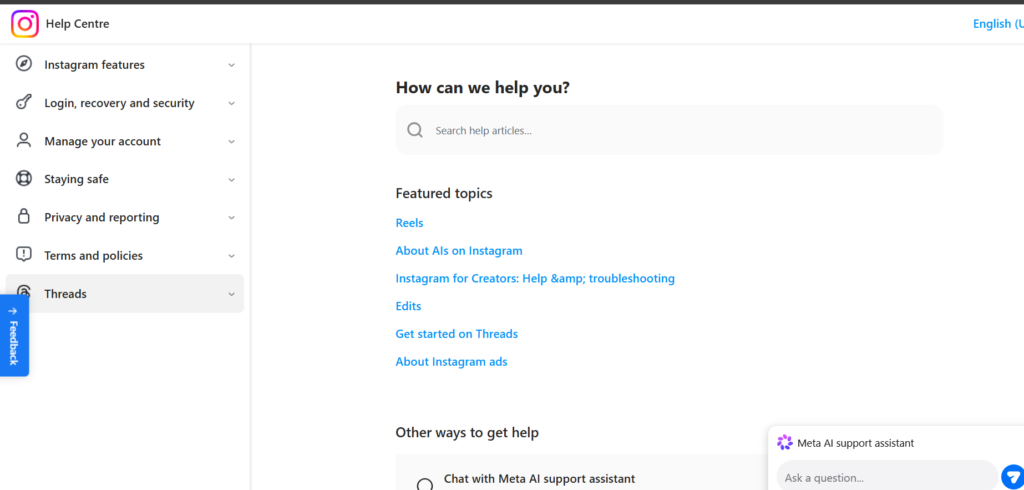
When everything else fails, go nuclear.
Step-by-Step:
- Go to: help.instagram.com (official support page)
- Search for “hacked account”
- Click “I think my Instagram account has been hacked”
- Fill out the “Data Access” or “Report a Hacked Account” form
- Provide:
- Original username
- Email previously linked to account
- Date you lost access
- Any screenshots of suspicious emails/activity
- Submit and wait 3-7 business days
Pro tip: Submit the form TWICE once from the app, once from a desktop browser. Different support teams handle each.
Method 6: Recovery via Linked Facebook Account
If your Instagram was linked to Facebook:
- Go to Facebook → Settings → Accounts Center → Accounts
- Find your linked Instagram
- Click “See more” → “Security” → “Password and security”
- You may be able to reset Instagram password directly from Facebook
AFTER YOU RECOVER: Lock It Down Immediately
Don’t just recover and relax. Do ALL of this within 5 minutes:
Security Checklist:
| Action | Where |
|---|---|
| Change password | Use 16+ characters, random |
| Enable 2FA | Settings → Security → Two-Factor Authentication |
| Use authenticator app | Google Authenticator or Authy — NOT SMS |
| Remove unknown devices | Settings → Security → Login Activity → Log out others |
| Check linked accounts | Settings → Account Center → Remove unknown Facebook/Twitter links |
| Revoke third-party apps | Settings → Website Permissions → Apps and Websites → Remove suspicious apps |
| Save backup codes | Settings → Security → Two-Factor Authentication → Backup Codes → Screenshot and store safely |
| Set up Trusted Contacts | Settings → Account Center → Password and Security → Trusted Contacts |
Bonus: How Hackers Took Over Your Account (So It Doesn’t Happen Again)
Understanding the attack helps prevention:
| Attack Type | How It Works | How to Prevent |
|---|---|---|
| Phishing | Fake Instagram login page steals your password | Check URL before logging in |
| Password reuse | Your password leaked from another site’s data breach | Use unique passwords for Instagram |
| SIM swap | Hacker convinces your mobile carrier to transfer your number | Use authenticator app, not SMS 2FA |
| Session hijacking | Hacker steals your login cookie | Don’t click suspicious links, log out of shared devices |
| Malicious apps | Third-party app asks for Instagram credentials | Only use official Instagram app |
Recovery Time Expectations (Realistic Timelines)
| Method | Typical Time |
|---|---|
| Email reset | 2-5 minutes |
| Phone recovery | 5-10 minutes |
| Selfie verification | 24-48 hours |
| Support form | 3-7 business days |
| Trusted contacts | 10-15 minutes (if set up) |
Real talk: No method guarantees recovery in “5 minutes” unless you still have email access. Be patient, especially with selfie verification.
FAQ
No. Instagram NEVER calls users. If someone calls claiming to be Instagram support, it’s a scam.
Tell friends through another platform (WhatsApp, SMS) that you’ve been hacked and not to respond. Report your account as impersonating you via the support form.
No. These are scams. Only Instagram can restore account access. Anyone offering “paid recovery services” will steal your money.
If deleted less than 30 days ago, yes use the support form. After 30 days, data is permanently erased.
Help Others: Share This Guide
If this helped you recover your account, share it with friends. Hacked accounts are rising in 2026 someone you know will need this.
Bookmark this page. You hope you never need it again, but if you do it’s here.